
IT/OT Builds 18 min
Deploy HiveMQ at the Edge & Build a Governed Namespace | IT/OT Builds
Two videos in, and it's time to actually build something. In this uncut, hands-on tutorial, Kudzai Manditereza walks us through deploying HiveMQ Edge on our (simulated) Munich bakery site, start to finish.
In This Episode
- Kudzai Manditereza deploys a HiveMQ broker for the simulated Sweet Harmony Treats Munich site, uncut, from the platform's Get Broker or Edge flow to data flowing in.
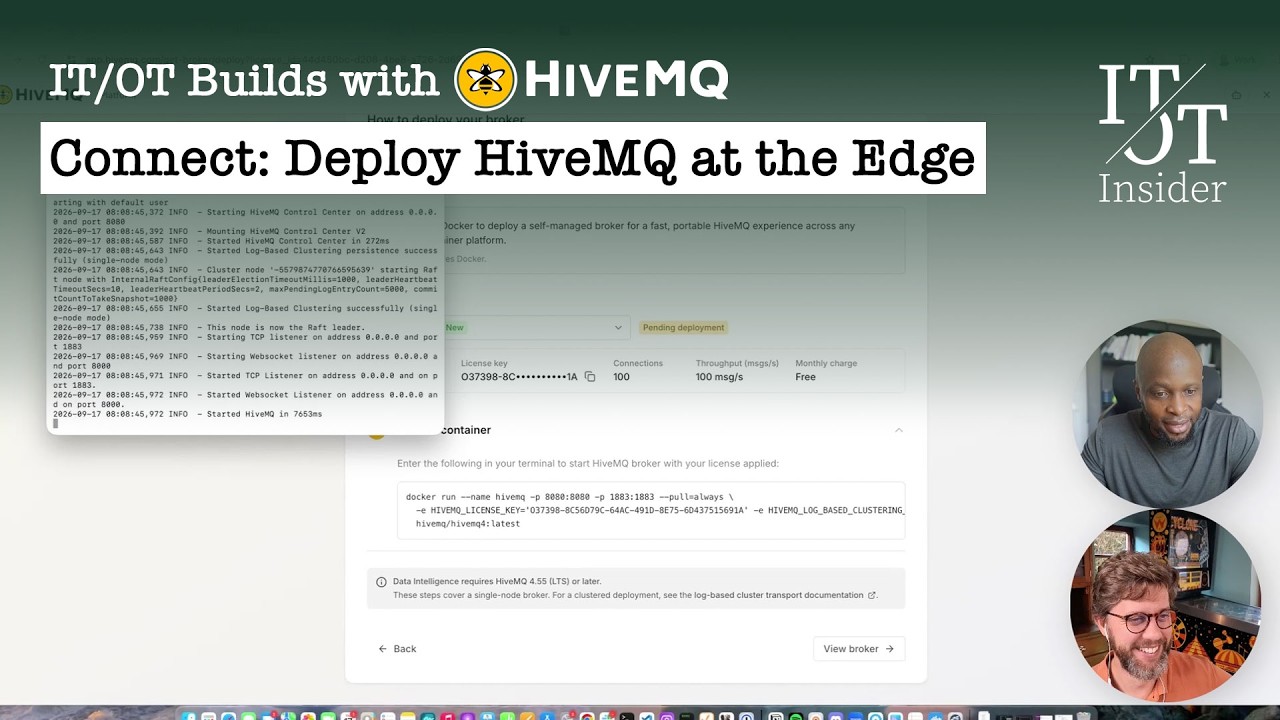
- The platform manages the broker, but everything runs locally: a free license (100 connections) and a single generated Docker command self-provision the broker and connect it to the platform.
- Existing brokers and new ones join the platform the same way, so teams with a broker already running can bring it in without redeploying.
- Discovering traffic exposes ungoverned namespaces built by different engineers over time, replacing the outdated Excel list of what's supposedly flowing with a living catalog.
- Governing data means more than renaming: Kudzai enforces types, turning folders into an enterprise, a site and a line, each with descriptions and metadata.
- Activating a node marks it governed, and you can inspect its type, source topic and live values; David admits the demo is far neater than what you'll find in the wild.
An Uncut Tutorial: From Ungoverned Data to a Unified Namespace
00:00 – 01:14David introduces the third HiveMQ episode of IT/OT Builds and the first true tutorial: Kudzai Manditereza deploys HiveMQ Edge, onboards it onto the platform, gets data flowing, and turns an ungoverned dataset into a governed one, the start of a unified namespace.
Nothing has been cut, so viewers can follow from start to end. David points newcomers to the earlier videos on HiveMQ's move to a platform and Kudzai's walkthrough of the demo.
“We'll be showing you how to start from an ungoverned dataset into a governed dataset, which basically means we're starting to build a unified namespace.”
David Ariens · 00:00
The Munich Plant, and a Brief to Leave Nothing Out
01:14 – 02:18David welcomes Kudzai back and recaps the series. On screen is the HMI of Sweet Harmony Treats, the IT/OT Insider's fictional industrial bakery: not a real SCADA system but a vibe-coded one that proves the point, showing what operators at the Munich plant see.
The task is to deploy a broker to that site, and David asks Kudzai to show every step so anyone watching can do it themselves.
“Walk us through all the steps. Don't leave anything out. I just want to make sure that whoever is watching this video is also capable of deploying the broker.”
David Ariens · 01:25
Starting Point: Bakery Data Already in MQTT, Nothing Yet in the Platform
02:18 – 04:48Kudzai shows the Sweet Harmony Treats simulation running in Docker on his machine, standing in for the Munich site, and the parameters it publishes as MQTT messages. Protocol conversion from Modbus or OPC is assumed to be done; that's the trivial part.
In the platform, the Explore page gives an overview and shortcuts, while the Connect section shows nothing is connected yet. Using Get Broker or Edge, you can register a broker you already run or deploy a new one; Kudzai chooses a new broker on his own infrastructure rather than the fully managed HiveMQ Cloud.
“The assumption is that we already have a protocol conversion. How then do we bring it into the platform is what we're going to show you next.”
Kudzai Manditereza · 02:18
Managed in the Platform, Running Locally: A Free License and One Docker Command
04:48 – 06:33David stresses that although the platform handles management, everything still runs locally. Kudzai explains that deploying a broker packages all the tokens it needs to connect itself to the platform.
He picks the free license, available to everyone and limited to 100 connections, and copies the generated Docker command, which self-provisions the broker; a local install without Docker is also possible. The download is fast-forwarded, but otherwise nothing is skipped.
“Although we're using a platform to do all the management stuff, all things are still run locally.”
David Ariens · 04:48
The Broker Comes Online, and Data Starts Flowing
06:33 – 08:43The broker starts with its license and appears in Docker Desktop on port 1883, where the bakery simulation is already connected. Its generated name, Gentle Honey, happens to suit Sweet Harmony Treats.
Kudzai shows the broker interface and the options for connecting devices: client libraries for Java, Go, Python and Arduino, tools like MQTT.fx or Mosquitto, and a command for simulated test data. They skip setting up the connection by hand, since real bakery data is already flowing, but one command was enough to deploy the broker and have it show up in the platform.
“With really just that one command, I really didn't need to do anything else.”
Kudzai Manditereza · 08:21
Discovering Ungoverned Traffic and Bringing It Under Governance
08:43 – 11:44Existing or new, a broker joins the platform the same way. Discovering its traffic shows everything flowing through it as ungoverned: namespaces built up over years by different OT and process engineers, with no way to know what's there or who owns it. David admits this demo is far neater than what you'd find in the wild.
Kudzai selects all the traffic and brings it into the governed namespace, though in practice you'd pick, choose and ignore. That replaces the familiar Excel list of what's supposedly flowing, last updated six months ago, with a living catalog.
“Right now we really have got a mixture of namespaces. There's no way to know exactly what's flowing, who owns it, and what to expect.”
Kudzai Manditereza · 08:43
Enforcing Types: Enterprise, Site, Line and Metadata
11:44 – 13:37In a real environment you'd do a lot of renaming and restructuring, but the bigger step is enforcing types. Kudzai changes Sweet Harmony Treats from a plain folder into an enterprise node, makes Munich a site with a description and metadata such as an address, and marks the waffle line as a line.
David asks how to fix a wrong tree structure; Kudzai shows you can create new folders or assets and drag nodes around to restructure the namespace.
“Now we're moving from really just having flat MQTT topics running to actually bring it into a more typed system.”
Kudzai Manditereza · 11:44
Activating Nodes and Inspecting Live Data
13:37 – 16:57Kudzai activates the oven's utility metering node, explaining that the free tier includes a number of nodes to activate in the Contextualize layer; for licensing details, talk to HiveMQ. A green check mark shows the node is governed.
He drills into electricity total: an object with timestamp, unit and value, packaged that way on the edge, with the value typed as a decimal and the MQTT topic and data source it came from, plus live data output. When the packs-per-minute value doesn't show at first, David spots the node isn't activated yet, and they keep the troubleshooting in, true to the no-cuts promise.
“As you can see now, I've got a green check mark that then in a way says this is governed.”
Kudzai Manditereza · 14:27
Recap: From Broker Deployment to a Governed Dataset
16:57 – 18:16David recaps the episode: an instance created on the platform, a broker deployed locally that connected itself back, data flowing in, and the first steps from an ungoverned to a governed dataset.
Next up is improving the contextualization layer: adding calculations and making that derived data available to other consumers.
“We started to go from an ungoverned to a governed dataset, basically.”
David Ariens · 16:57
Full episode transcript raw feed ▸
David: Welcome to the IT/OT Builds. This is where we are building solutions to technical problems. We're still joined by HiveMQ. In this video, Kudzai is going to show you us, me, us, everybody, how we are going to deploy HiveMQ Edge, going to onboard it onto their platform. Data is going to start flowing in. We'll be showing you how to start from an ungoverned dataset into a governed dataset, which basically means we're starting to build a unified namespace. So all really interesting stuff also highly technical stuff We haven't cut anything yet So you can really follow from start to end if this is the first video you're watching and you want to know more about Hivemq We have some other videos as well where Shashank explained their move from products to the platform And we also had Goodzai showing us really a walk around the demo of the entire platform So make sure to watch those videos if you like our content don't forget to subscribe Drop us a comment, send me direct message if you have questions, if you have ideas for the future. And without any further ado, let's enjoy this tutorial. David: All right, so welcome back to this technical IT/OT Build video. so we still have Kudzai here with us. Kudzai, welcome back. Kudzai: Thank you, David. Great to be back. David: so for those who haven't followed the series, we have a video on the HiveMQ platform. They are moving from more individual products to platform, so that's a video. We also met Kudzai in a previous video explaining what we are going to build. But that was still a bit high level. in this one, what you see here is the HMI SCADA system of of of Sweet Harmony Treats our beloved industrial bakery. not a real SCADA system, this one is five-coded, but it's there to prove a point. so this is what the operators are seeing. it's a Munich plant, and the idea here is that we are going to deploy a broker to that site. so with that, could say. Walk us through all the steps. Don't leave anything out. I just want to make sure that whoever is watching this video is also capable of deploying of deploying the broker Kudzai: Yep, 100%. Thank you again, David, for having me on the show. So yeah, mean, this is, as David mentioned, the sweet harmony treats simulation, which is in this case running at a site in Munich. So before we get started, so I'll just kind of show you here what we have. I've got Docker running. So this is basically my sweet harmony treats container that is currently running locally on my machine here. So the goal is that we want to be able to deploy a broker on my machine again. which in this case is a scenario where we're actually deploying a broker at a Munich site, right? Where this data is actually being generated on this Smart Harmony Treats bakery. let's head over. So just maybe quickly to show you here, these are all these parameters that are being generated by the bakery. And these are already being published as MQTT messages. this is already, the assumption is that we already have a protocol conversion. So typically, obviously, this will be sitting behind a modbus or OPC. So that's already the trivial part, where you can just connect something like HiveMQ convert that into MQTT. But how then do we bring it into the platform is what we're going to show you next. So if you go to your platform. This basically what you see. The first page is that you explore. Kind of like gives you a sense of what's happening in your platform. It gives you insight and also some shortcuts into how you can get started by deploying all of these things. And if you go into your connect section, sort of like shows you what is currently connected. So as you can see, I don't have anything connected yet. Everything is offline. So I want to start by getting your data connected into the platform. So to do that, we go into our get broker or edge button here. So I mean, for many people, might already have a broker that is running. So if that is the case, you just select to create what you already have running. But in my case, I want to show you how to deploy like a fresh new environment, a broker. So I'm going to select deploy a new broker. And then here again, you can select whether it's HiveMQ Cloud, which is our fully managed service or you want to run the broker in your own infrastructure, which in my case, I want to run it in my Docker environment here on my laptop. So I'm going to select that and then I'll click on continue. David: And I think this is already really important to stress that although we're using a platform to do all the management stuff, all things are still run locally. Kudzai: Yes, absolutely. So what is happening right now when you sort of like select to deploy a broker, it will package all of this information, all of the tokens, everything that is needed for the broker to actually self-connect to the platform, as you will see shortly. Okay. All right. And then, so here you select a license. So I'll select to get a free license. David: Is it available for everybody the free license? Okay. Kudzai: Yes, available for everyone. So you can see this one has got a limit of 100 connections. So this is what you get on the free license. David: Okay. Kudzai: Then I'll grab this Docker command. So what has happened here is that this Docker image has got all of these tokens that you need to be able to connect to the platform automatically. So it will sort of like self-provision. David: Yeah, but I can see that there is also for those that are not using are not running Docker, there is also a possibility to do that to do a local install apparently. So Kudzai: Yes, absolutely. Okay, so now we're downloading. David: And we're playing the waiting game and we're gonna fast forward this one until the thing is downloaded, depending on your bandwidth Kudzai: Yep. David: Okay, and this is where we end the fast forward. We're we're we're trying to not leave anything out, and we won we really wanna give you the full experience here. Kudzai: So now the broker, as can see, starting up. And then you can see it's now, you your broker is up and running with a selected license. So now we know that our broker is up and running. And just to confirm, we go back to our Docker desktop. can see now I've got HiveMQ running here at port 1883, which is what our suite harmony treats is connected to. David: Yeah, yeah. And the name is Gentle Honey. Actually that ex that Kudzai: Yes. David: actually fits with sweet dominate reads as well for some reason. Kudzai: yes, absolutely. So now you can see that our broker, so if you click on go to broker, you can see your broker interface here, or if you go to your sort of like connect tab, you see Django Honey is now appearing there. But if you click here, I want to show you something here really quickly. So we've got an option that shows you how to connect your devices. So if you want to connect an MQTT client to that MQTT proposal, really your general, you know, MQTT client. So in this case here, we've got the Java, Glend, Python, Arduino, MQTT effects, which is more of a tool that allows you to connect there. Or if you want to also, you know, connect Mosquito. And more importantly, you can also, you know, sort of like use this command to generate some simulated data for you if you want to just test whether your broker is actually, you know, getting data flowing there. But for us, we've got data flowing in our three terminal traits. Factories are not going to use any simulation. We're going to do some real David: Yeah. Kudzai: data here. David: So that that's a little bit like a s a small shortcut we've taken. on its own, but obviously in in a normal situation, this is where you would then set up the the the connection. Kudzai: Yeah, absolutely. So we really just want to jump steps here. But typically, as you can see, this one is now showing that it's connected to a broker at point 1883. Ideally, you need to enter these ones manually. Right, so now we've got our data connected effectively. with really just that one command, I really didn't need to do anything David: Yeah. Kudzai: else. Just one command, deploy it, and then it's now self-provision. It's now appearing on the platform. So whether it was an existing broker, or it's a new broker, that's exactly the same way to actually bring it into your platform. So now if you go, it's either through discovering traffic or going into your sort of like contextualized layer and selecting the broker that you want to select, right? So in our case, we're going to say, let's discover some traffic. Let's see what's actually flowing through that broker. So all of this data. So that is actually running on your broker right now. The issue is up here is ungoverned. So everything's that is ungoverned traffic because this is really ideally an MQTT traffic that has been created maybe over a long period of time. Many people solving their problems. We've got an OT engineer that created their namespace. We've got a process engineer that created their namespace. So right now we really have got like a a mixture of namespaces. There's no way to know exactly what's flowing, who owns it, and what to expect, David: Yeah. Kudzai: things like that. David: And and this example, let's be honest, it looks very neat, but but that's that's is not what you'll find in the wild. Kudzai: Exactly. David: So so the the the idea that you start with okay, here is a list of yeah, say yeah the the the the the traffic I I I don't know yet. the something you need to do. you you need to get those yeah those tags and and bring it into a a government namespace is something really interesting. Kudzai: yeah, absolutely. Absolutely. So here, I mean, you could, you know, go one by one and inspecting which topics, you know, conform to the structure or what have you for. But in my case, I'm actually going to select everything. I'm going to bring everything into the governed namespace. But this is where you want to be able to pick and choose, or you want to ignore or whatever you want to do there. So we're going to bring this data into the governed namespace. So the governed namespace is here where we see it says namespace right now. So we have really moved from data that is flowing and we didn't know about, I mean, a lot of companies would like in most cases have like maybe an Excel spreadsheet that is, you David: Ha ha ha. Kudzai: know, saying, this is what is we think is flowing. So maybe that Excel spreadsheet was last updated six months ago. There's just so much more traffic that is now flowing through there. Right. So this is a way of really building sort of like creating that catalog, right? I know that a catalog is it way. So as you can see, This is this folder structure that has been created from that data flow, that MQTT data flow as it were. the very first thing, obviously as David mentioned, this is already something that is neat because I already built that suite harmonies trees to give you a neat. But ideal situation, you're not going to have a neat. So you're going to do a lot of renaming things, you're going to do lot David: Yeah. Kudzai: of structuring and conforming to a consistent way of naming things. But more importantly, we could start by enforcing the types, right? So as you can see, suite-ammonitreads here again, it's just a folder. So I want to say this is actually my enterprise tag or node rather. So I can then update. So now we're moving from really just having flat MQTT topics running to actually bring it into a more typed system. And then I can go into Munich here and then I can say, okay, this is actually a site, right? It's called Munich. And then I can add a description, right? So whatever description that you want to add there. And then I can also add some metadata to that. whether I want to add, I think in that teaser, I showed you that we had an address. So it could be an address or... It could be whatever metadata that you want to be able to associate with this specific site. So just to bring more context into what's actually running on the shop flow. Same applies to wild full line here. We can then specify that this is actually a line, and so on and so forth. And then you can go into this one. David: So and then s suppose I wanna that there there is you know there is something wrong in my in my in my in my tree structure, like can I easily move items from one place to another, from one folder to another or from one so how how does that work? Kudzai: Yeah, so for example here, I can maybe create a new folder here or I can create a new asset and then I can start to move this stuff around. whether I'm actually dragging it and putting it there, but yeah, David: I okay. Yeah. Kudzai: but the idea is that you can then start to add more context really on your data. So what we're going to do is first of all, inspect what is actually, you know, through there. So I'll first of all look at the oven utility metering. So this is like our utility metering on the oven. So first of all, I will need to activate this node. So again, this is also another feature where you get some free, you know, nodes that you can activate on the contextualize so that you can start playing around with it. So this is basically David: Okay. Kudzai: the licensing model to say how many nodes you're then going to be able to activate here. But this is obviously something that I'm not qualified to talk about here. I'll just activate what we need to David: Talk to your account manager. Kudzai: use to do and anyone needs to find out more details about this, then they can get in touch with our team. So I'll activate this specific node here. As you can see now, I've got a green check mark that then in a way says this is the governed. I've checked it and then I can see this is coming. But of course, I already know what's flowing there. That's why I automatically activate it. if I select electricity total over here, can see, I can go in there and I can see this is in an object, data type. So this was obviously already discovered because on my simulator, I'm publishing timestamp unit value. So ideally, this is something that you do on the edge connectivity platform. So in this case, on HiveMQ Edge, this is where you could then package this data like this. Or however you're doing it, it's just a raw data that is flat with no contextualization. And then I can go into the value, and this one specifically, I can see this is a decimal value, and then I can see this is the MQTT topic from which this one was inherited. And then I can go into the data sources, I can see, okay, this is the actual data source and things like that. And then we can actually see the data that is flowing here on this electricity total oven. If I go into data output here, you can see currently we've got data flowing here. If I refresh it, you can see that data is flowing. So this is the object that I was talking about here. got the unit, the value, and the timestamp. And then if I look at another data point of interest, so I'm not going to go through everything, but just to give you a sense. I've got the EPEX per minute. we were generally counting how many packs were generating per minute. applies here. You can see that we've got a value on this object. OK, just hold on for a minute here. yes, yes. Now you David: It's not activated yet, so that might that might be the reason. Kudzai: know it better than I do. OK. David: No, but it's again, we were not going to leave anything out here. This is just us Kudzai: Yes. David: trying to figure out Kudzai: of course, 100%. Okay, so here I definitely need to activate this. So this is activated now. And then once David: That's your data. Kudzai: you activate it, you can start to see your data flowing, which is really, you know, pretty neat. David: Alright. So I think with with that, we we kind of have now the scope of what we wanted to show in this video. So we we we created an instance of the broker on the platform, we then deployed the broker locally. the team connected back to the platform, we saw data flowing in, and we started to go from an ungoverned to a governened dataset, basically. So I think with that we're gonna end this one. Next step is to start really improving that contextualization layer. So adding calculations, making sure that we are can then get that calculated data, that change data also back to other consumers, etc. so for that let's just yeah point or let's point our audience to the next video in case they're interested. Kudzai thank you very much for already joining you. joining me in this one. and yeah for audience make sure to tune in on the other one as well. Thank you. Kudzai: Thank you, David.